Writing technical content in Markdown
 Image credit: John Moeses Bauan
Wowchemy is designed to give technical content creators a seamless experience. You can focus on the content and Wowchemy handles the rest.
Highlight your code snippets, take notes on math classes, and draw diagrams from textual representation.
On this page, you’ll find some examples of the types of technical content that can be rendered with Wowchemy.
Examples
Code
Wowchemy supports a Markdown extension for highlighting code syntax. You can customize the styles under the syntax_highlighter option in your config/_default/params.yaml file.
```python
import pandas as pd
data = pd.read_csv("data.csv")
data.head()
```
renders as
import pandas as pd
data = pd.read_csv("data.csv")
data.head()
Mindmaps
Wowchemy supports a Markdown extension for mindmaps.
Simply insert a Markdown markmap code block and optionally set the height of the mindmap as shown in the example below.
A simple mindmap defined as a Markdown list:
```markmap {height="200px"}
- Hugo Modules
  - wowchemy
  - wowchemy-plugins-netlify
  - wowchemy-plugins-netlify-cms
  - wowchemy-plugins-reveal
```
renders as
- Hugo Modules
  - wowchemy
  - wowchemy-plugins-netlify
  - wowchemy-plugins-netlify-cms
  - wowchemy-plugins-reveal
A more advanced mindmap with formatting, code blocks, and math:
```markmap
- Mindmaps
  - Links
    - [Wowchemy Docs](https://wowchemy.com/docs/)
    - [Discord Community](https://discord.gg/z8wNYzb)
    - [GitHub](https://github.com/wowchemy/wowchemy-hugo-themes)
  - Features
    - Markdown formatting
    - **inline** ~~text~~ *styles*
    - multiline
      text
    - `inline code`
    -
      ```js
      console.log('hello');
      console.log('code block');
      ```
    - Math: $x = {-b \pm \sqrt{b^2-4ac} \over 2a}$
```
renders as
- Mindmaps
  - Links
    - [Wowchemy Docs](https://wowchemy.com/docs/)
    - [Discord Community](https://discord.gg/z8wNYzb)
    - [GitHub](https://github.com/wowchemy/wowchemy-hugo-themes)
  - Features
    - Markdown formatting
    - **inline** ~~text~~ *styles*
    - multiline
      text
    - `inline code`
    -
      ```js
      console.log('hello');
      console.log('code block');
      ```
    - Math: $x = {-b \pm \sqrt{b^2-4ac} \over 2a}$
Charts
Wowchemy supports the popular Plotly format for interactive charts.
Save your Plotly JSON in your page folder, for example line-chart.json, and then add the {{< chart data="line-chart" >}} shortcode where you would like the chart to appear.
Demo:
You might also find the Plotly JSON Editor useful.
Math
Wowchemy supports a Markdown extension for $\LaTeX$ math. You can enable this feature by toggling the math option in your config/_default/params.yaml file.
To render inline or block math, wrap your LaTeX math with {{< math >}}$...${{< /math >}} or {{< math >}}$$...$${{< /math >}}, respectively. (We wrap the LaTeX math in the Wowchemy math shortcode to prevent Hugo rendering our math as Markdown. The math shortcode is new in v5.5-dev.)
Example math block:
{{< math >}}
$$
\gamma_{n} = \frac{ \left | \left (\mathbf x_{n} - \mathbf x_{n-1} \right )^T \left [\nabla F (\mathbf x_{n}) - \nabla F (\mathbf x_{n-1}) \right ] \right |}{\left \|\nabla F(\mathbf{x}_{n}) - \nabla F(\mathbf{x}_{n-1}) \right \|^2}
$$
{{< /math >}}
renders as
$$\gamma_{n} = \frac{ \left | \left (\mathbf x_{n} - \mathbf x_{n-1} \right )^T \left [\nabla F (\mathbf x_{n}) - \nabla F (\mathbf x_{n-1}) \right ] \right |}{\left \|\nabla F(\mathbf{x}_{n}) - \nabla F(\mathbf{x}_{n-1}) \right \|^2}$$Example inline math {{< math >}}$\nabla F(\mathbf{x}_{n})${{< /math >}} renders as
$\nabla F(\mathbf{x}_{n})$.
Example multi-line math using the math linebreak (\\):
{{< math >}}
$$f(k;p_{0}^{*}) = \begin{cases}p_{0}^{*} & \text{if }k=1, \\
1-p_{0}^{*} & \text{if }k=0.\end{cases}$$
{{< /math >}}
renders as
$$ f(k;p_{0}^{*}) = \begin{cases}p_{0}^{*} & \text{if }k=1, \\ 1-p_{0}^{*} & \text{if }k=0.\end{cases} $$Diagrams
Wowchemy supports a Markdown extension for diagrams. You can enable this feature by toggling the diagram option in your config/_default/params.toml file or by adding diagram: true to your page front matter.
An example flowchart:
```mermaid
graph TD
A[Hard] -->|Text| B(Round)
B --> C{Decision}
C -->|One| D[Result 1]
C -->|Two| E[Result 2]
```
renders as
An example sequence diagram:
```mermaid
sequenceDiagram
Alice->>John: Hello John, how are you?
loop Healthcheck
    John->>John: Fight against hypochondria
end
Note right of John: Rational thoughts!
John-->>Alice: Great!
John->>Bob: How about you?
Bob-->>John: Jolly good!
```
renders as
An example Gantt diagram:
```mermaid
gantt
section Section
Completed :done,    des1, 2014-01-06,2014-01-08
Active        :active,  des2, 2014-01-07, 3d
Parallel 1   :         des3, after des1, 1d
Parallel 2   :         des4, after des1, 1d
Parallel 3   :         des5, after des3, 1d
Parallel 4   :         des6, after des4, 1d
```
renders as
An example class diagram:
```mermaid
classDiagram
Class01 <|-- AveryLongClass : Cool
Class03 *-- Class04
Class05 o-- Class06
Class07 .. Class08
Class09 --> C2 : Where am i?
Class09 --* C3
Class09 --|> Class07
Class07 : equals()
Class07 : Object[] elementData
Class01 : size()
Class01 : int chimp
Class01 : int gorilla
Class08 <--> C2: Cool label
```
renders as
An example state diagram:
```mermaid
stateDiagram
[*] --> Still
Still --> [*]
Still --> Moving
Moving --> Still
Moving --> Crash
Crash --> [*]
```
renders as
Todo lists
You can even write your todo lists in Markdown too:
- [x] Write math example
  - [x] Write diagram example
- [ ] Do something else
renders as
- Write math example
- Write diagram example
- Do something else
Tables
Save your spreadsheet as a CSV file in your page’s folder and then render it by adding the Table shortcode to your page:
{{< table path="results.csv" header="true" caption="Table 1: My results" >}}
renders as
| customer_id | score |
|---|---|
| 1 | 0 |
| 2 | 0.5 |
| 3 | 1 |
Callouts
Academic supports a shortcode for callouts, also referred to as asides, hints, or alerts. By wrapping a paragraph in {{% callout note %}} ... {{% /callout %}}, it will render as an aside.
{{% callout note %}}
A Markdown aside is useful for displaying notices, hints, or definitions to your readers.
{{% /callout %}}
renders as
Spoilers
Add a spoiler to a page to reveal text, such as an answer to a question, after a button is clicked.
{{< spoiler text="Click to view the spoiler" >}}
You found me!
{{< /spoiler >}}
renders as
Click to view the spoiler
You found me!
Icons
Academic enables you to use a wide range of icons from Font Awesome and Academicons in addition to emojis.
Here are some examples using the icon shortcode to render icons:
{{< icon name="terminal" pack="fas" >}} Terminal
{{< icon name="python" pack="fab" >}} Python
{{< icon name="r-project" pack="fab" >}} R
renders as
Terminal
Python
R
Did you find this page helpful? Consider sharing it 🙌
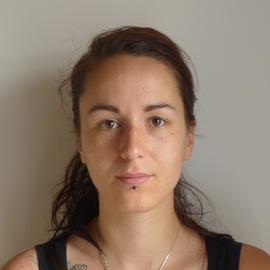
Dr Sara Gandy
Research Associate
My research primarily focuses on understanding the ecological drivers of tick-borne diseases to provide insights on the mechanisms involved in transmission cycles, especially on the interactions between ticks, hosts and pathogens. My research includes investigating the impacts of environmental changes (woodland restoration, rewilding) and host community composition (deer, rodent and birds) on tick-borne diseases risks in the UK. Some of my findings uncovered an opposing effect of deer densities on Lyme disease hazard through their positive effects on tick density and negative effects on infection prevalence. I also published work looking at spatiotemporal changes in tick distribution using passive surveillance data and I have been leading the National Tick Survey, which involves collaborating with stakeholders in thirty National Parks and recreational areas to collect ticks and test them for various tick-transmitted pathogens between 2021 and 2024. The goal is to understand disease hazard and temporal variation in areas visited by members of the public and deliver tick awareness messages.